AWS Marketplace Binding for CloudPilot AI
This guide shows you how to activate a CloudPilot AI subscription through AWS Marketplace so that all management charges for your AWS‑hosted Kubernetes clusters appear on your regular AWS bill.
Prerequisites
Before you begin, confirm that:
- AWS account access – Your AWS Identity has permission to subscribe to Marketplace products (for example, the managed policy AWSMarketplaceManageSubscriptions).
- CloudPilot AI account – You can sign in to the
CloudPilot AIconsole, or you are ready to create a new account during the linking step.
Step 1: Find the CloudPilot AI in AWS Marketplace
- Sign in to the AWS Management Console.
- Either follow the direct link or search CloudPilot AI in AWS Marketplace .
Step 2: Choose a subscription plan
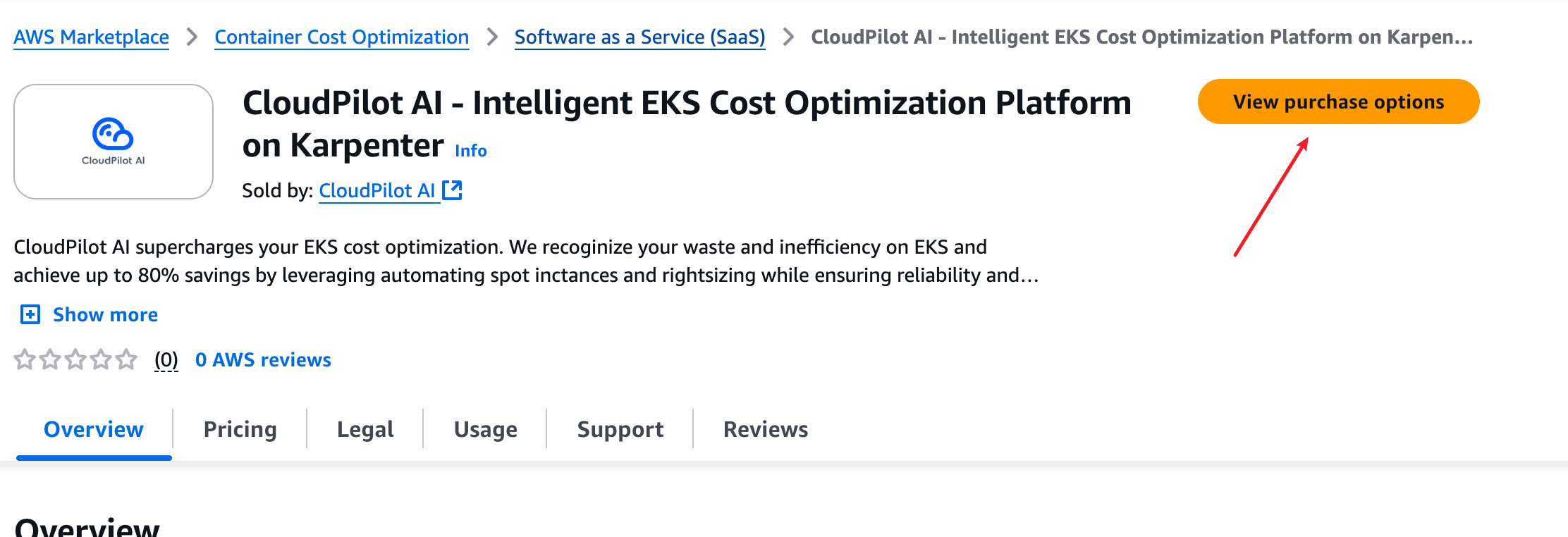
- On the product listing page, choose View purchase options.
- Select the pricing plan that matches your expected cluster size, and (optionally) enable Auto‑renewal.
- Choose Subscribe (or Continue to Subscribe) and confirm in the popup dialog.
Step 3: Open the CloudPilot AI onboarding page
After the transaction completes, a Set-up your account button appears on the listing.
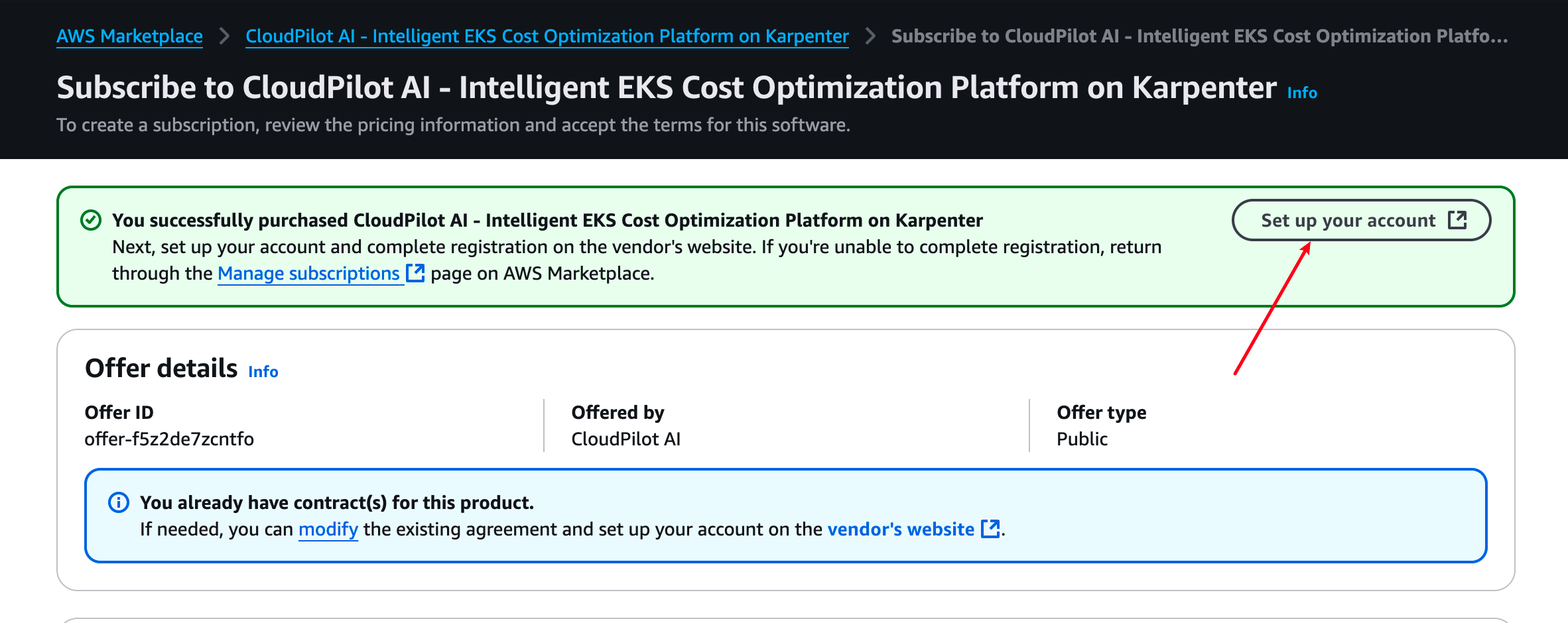
- Click Set up your account to open the
CloudPilot AIconsole. - If you are not signed in yet, sign in or create your
CloudPilot AIaccount. - After authentication,
CloudPilot AIopens the marketplace onboarding flow.
Step 4: Bind the subscription to your organization
On the onboarding page, review the marketplace connection details and choose which organization should own the subscription.
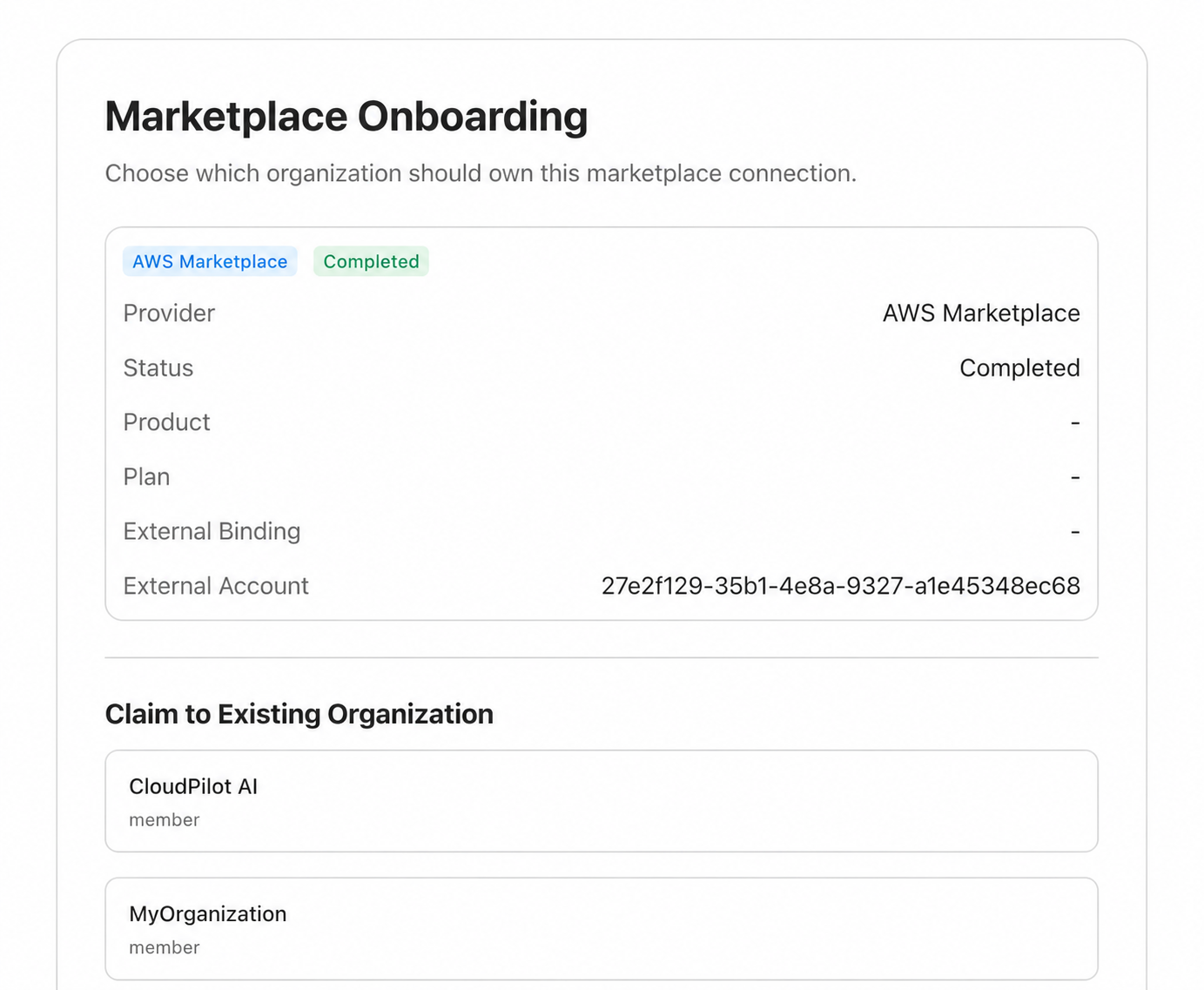
- Under Claim to Existing Organization, choose the organization that should own the marketplace connection.
- Complete the remaining prompt in
CloudPilot AIto finish the binding.
You can review CloudPilot AI usage at any time in AWS Billing .
CloudPilot AI reports the average vCPU count across the nodes it manages to AWS Marketplace every hour to calculate your bill.
Last updated on