Maintenance Mode Enable/Disable
This document describes how to enable and disable maintenance mode in CloudPilot AI. Use maintenance mode when an issue requires deeper investigation and you want the CloudPilot AI support team to help troubleshoot directly.
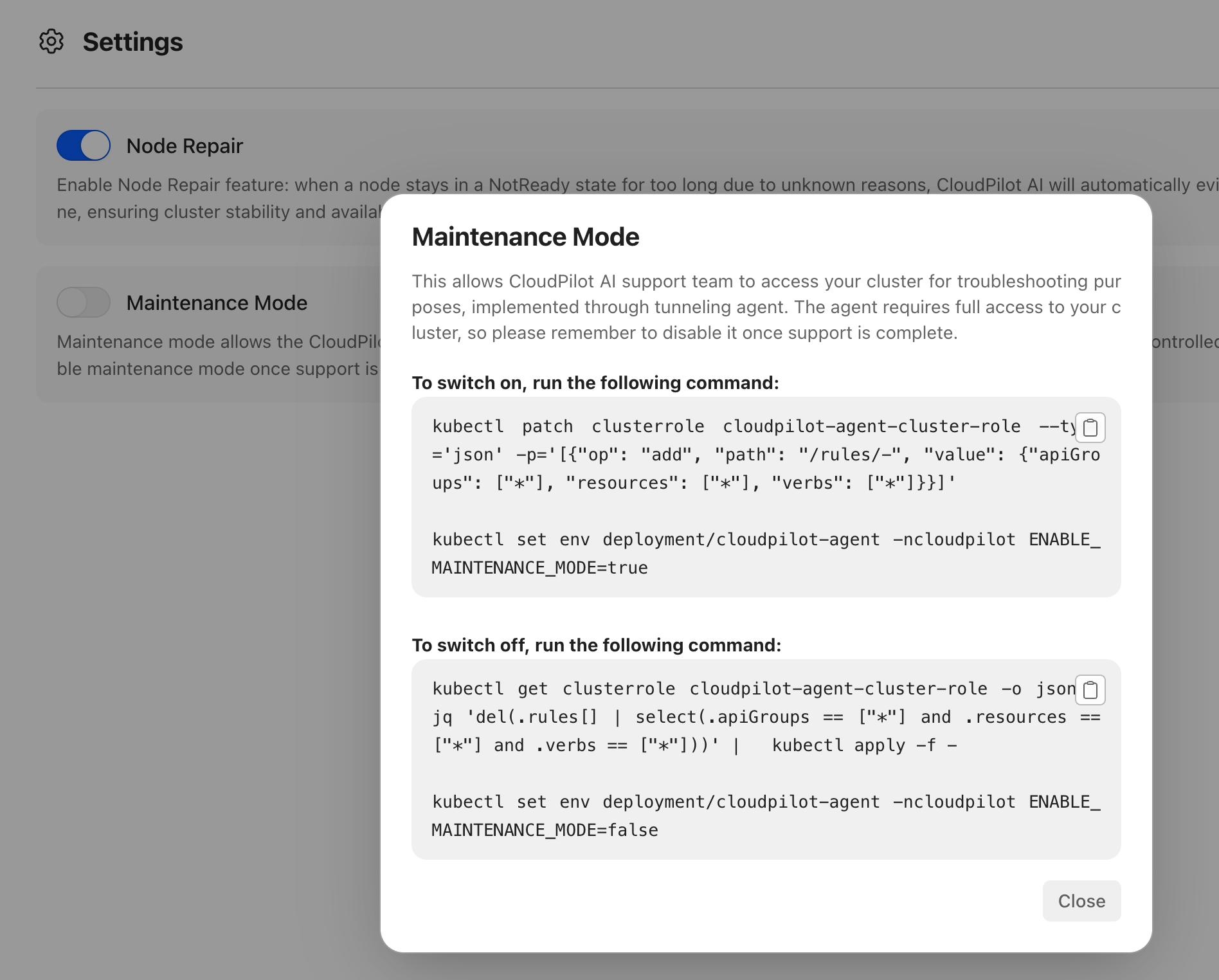
When maintenance mode is enabled, a secure tunnel is created between your cluster and the CloudPilot AI backend. This allows the support team to use kubectl to troubleshoot your cluster. The tunnel is not open to the public internet and is disabled by default. You must manually enable it using the kubectl command shown below from your environment:
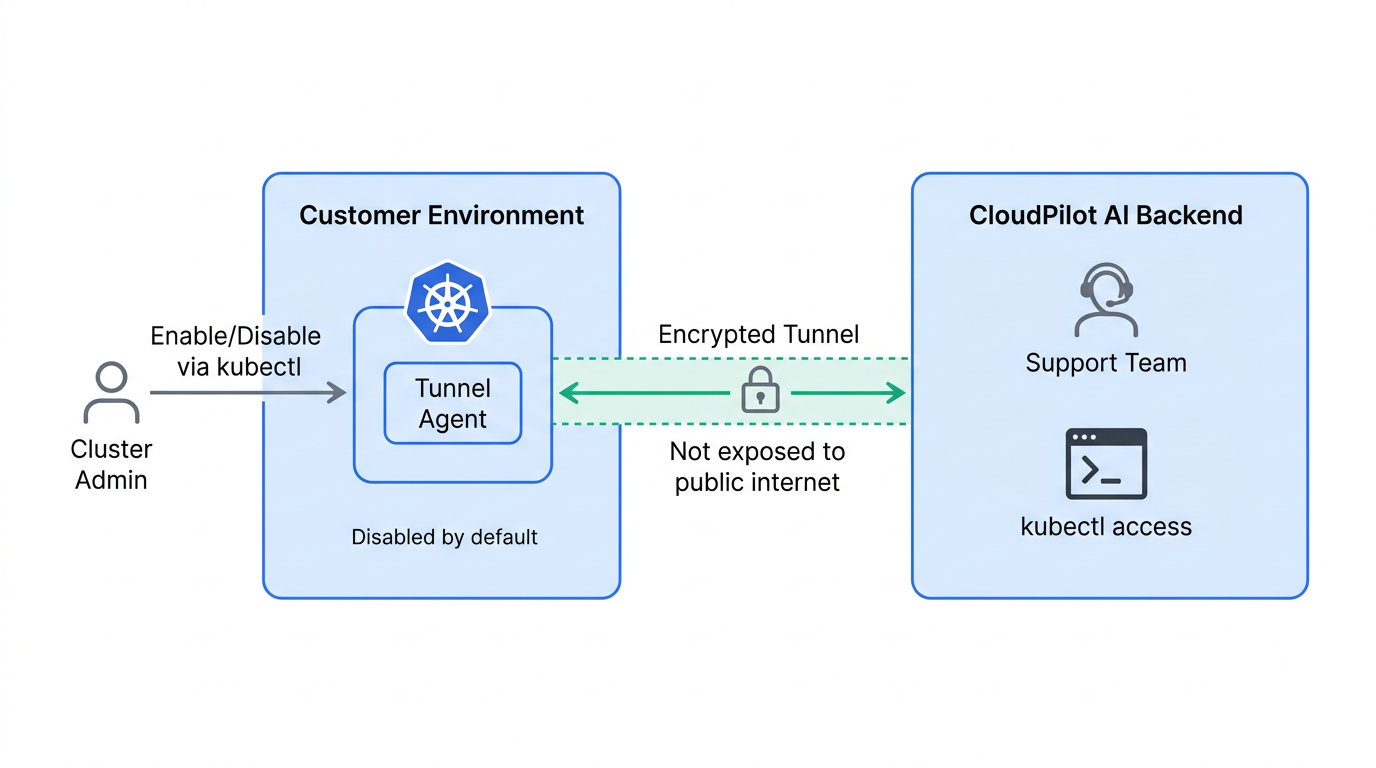
How to Enable or Disable Maintenance Mode
-
Log in to the CloudPilot AI console.
-
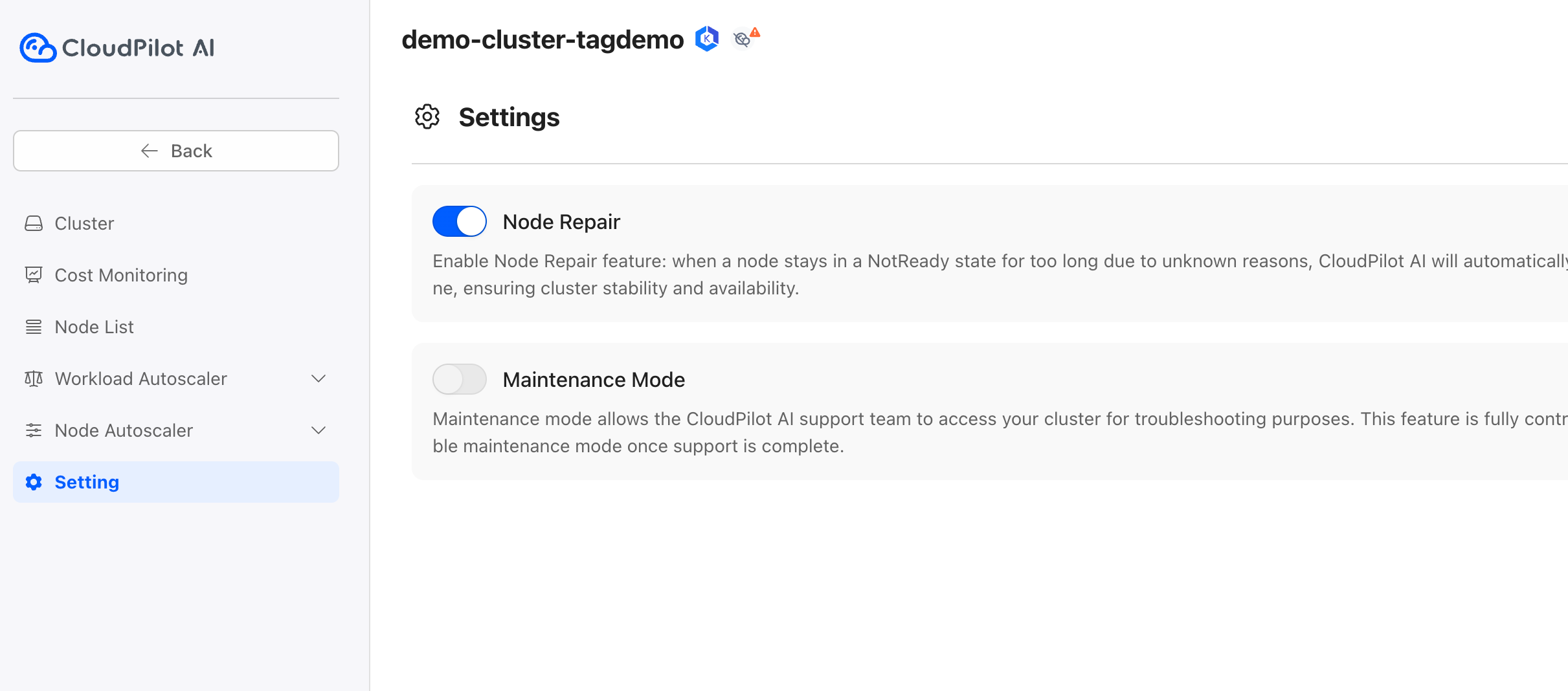
Open cluster settings: Click the Settings icon in the left sidebar for the target cluster.
-
Open Maintenance Mode: Click Maintenance Mode to view the instructions and the
kubectlcommand for enabling or disabling maintenance mode.
Security Considerations
Maintenance mode grants the support team full access to your cluster. Enable it only when you need support assistance, and disable it after the issue is resolved.