VPA vs. Workload Autoscaler
Kubernetes Vertical Pod Autoscaler (VPA) right-sizes container resources. VPA 1.8.1 uses OOM events in memory recommendations and offers alpha CPU Startup Boost . CloudPilot AI Workload Autoscaler goes further with dedicated startup recommendations, JVM-aware sizing, and Java OOM classification that can adjust the managed heap. It also accounts for CPU pressure, coordinates with HPA, and works with Node Autoscaler to reduce provisioned capacity.
Java Workload Optimization: tune Heap and containers together to reduce memory reservations
Tuning memory for a Java service means looking at Heap, GC, and non-heap usage together. Workload Autoscaler jointly calculates Xms, Xmx, and container memory targets, optimizing the JVM’s internal budget and Kubernetes resource configuration together to release excess reservations.
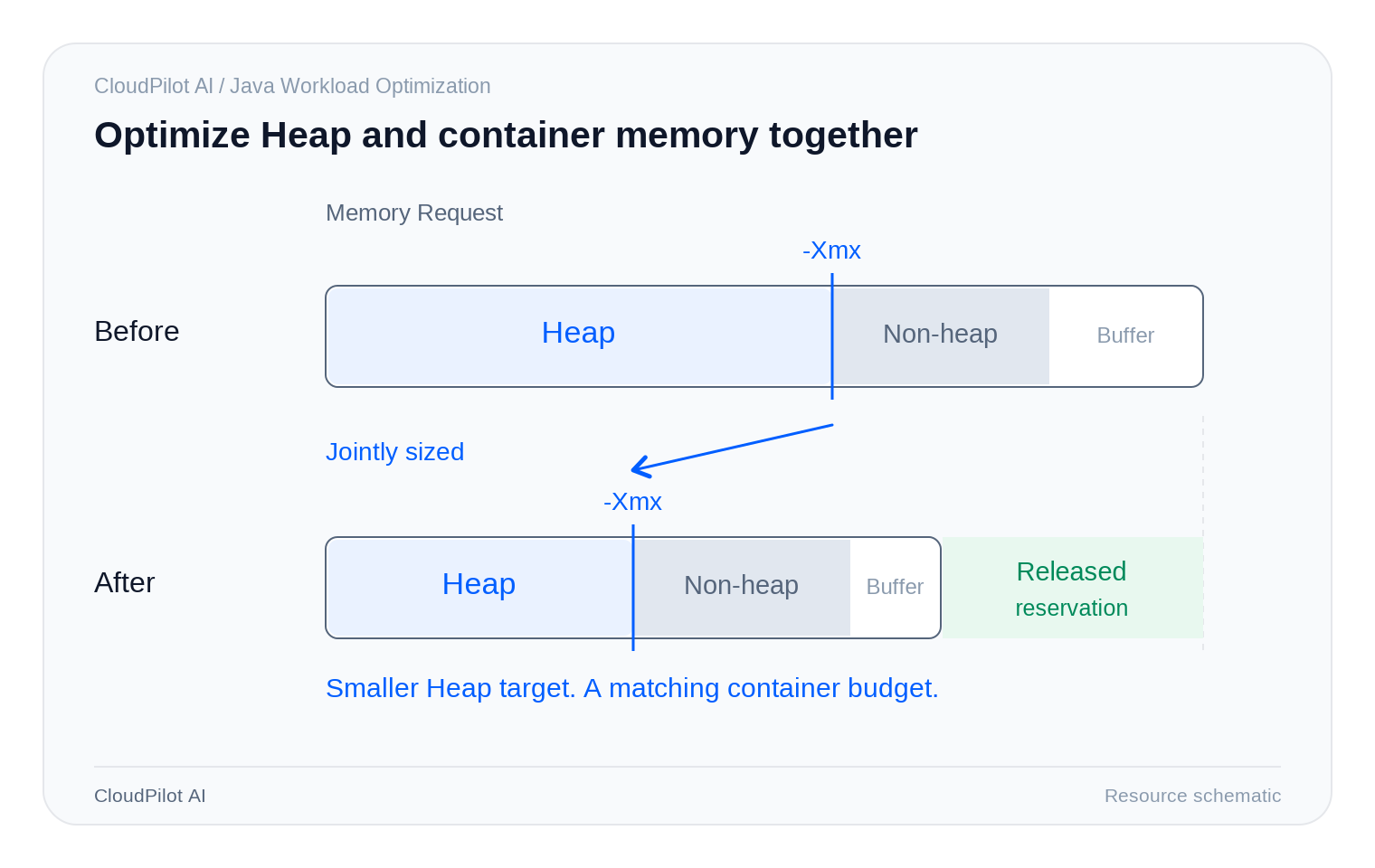
Recommended heap settings take effect when a new or replacement Pod starts with rewritten JVM flags or its entrypoint uses the injected heap variables. If an entrypoint builds its own JVM flags, follow the startup-script integration. GC and memory trends guide ongoing adjustments, and teams can reuse the tuning policy across Java services.
ResourceStartupBoost: give startup enough CPU, release reservations once stable
Java services need sustained CPU capacity for class loading, JIT compilation, and cache warm-up. Usage drops quickly once warm-up finishes. ResourceStartupBoost uses a dedicated RecommendationPolicy to calculate the startup CPU target independently of the steady-state target.
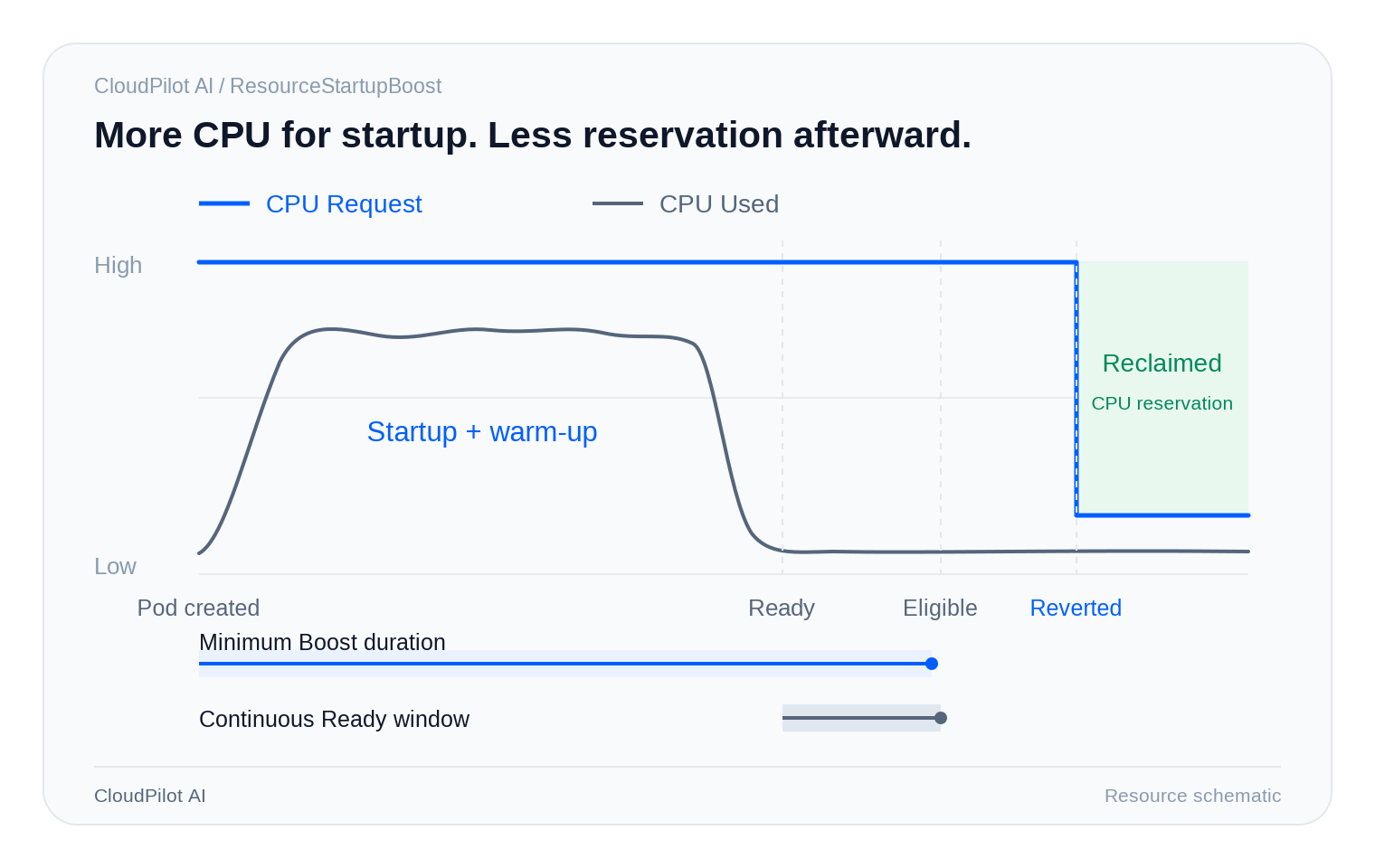
On Kubernetes v1.33 or later with in-place resizing support, the minimum Boost and Ready durations determine when a Pod becomes eligible to return to its steady-state CPU target. The update policy and workload readiness govern when that change can proceed. This gives services extra CPU during rollouts and scale-outs, then frees that reservation for other workloads. See ResourceStartupBoost.
OOM Auto-Remediation: identify the exhausted memory area for targeted recovery
Heap and non-heap exhaustion call for different recovery targets. Workload Autoscaler combines container exit status with Java OOM classification to identify the exhausted memory area and calculate the matching recovery target.
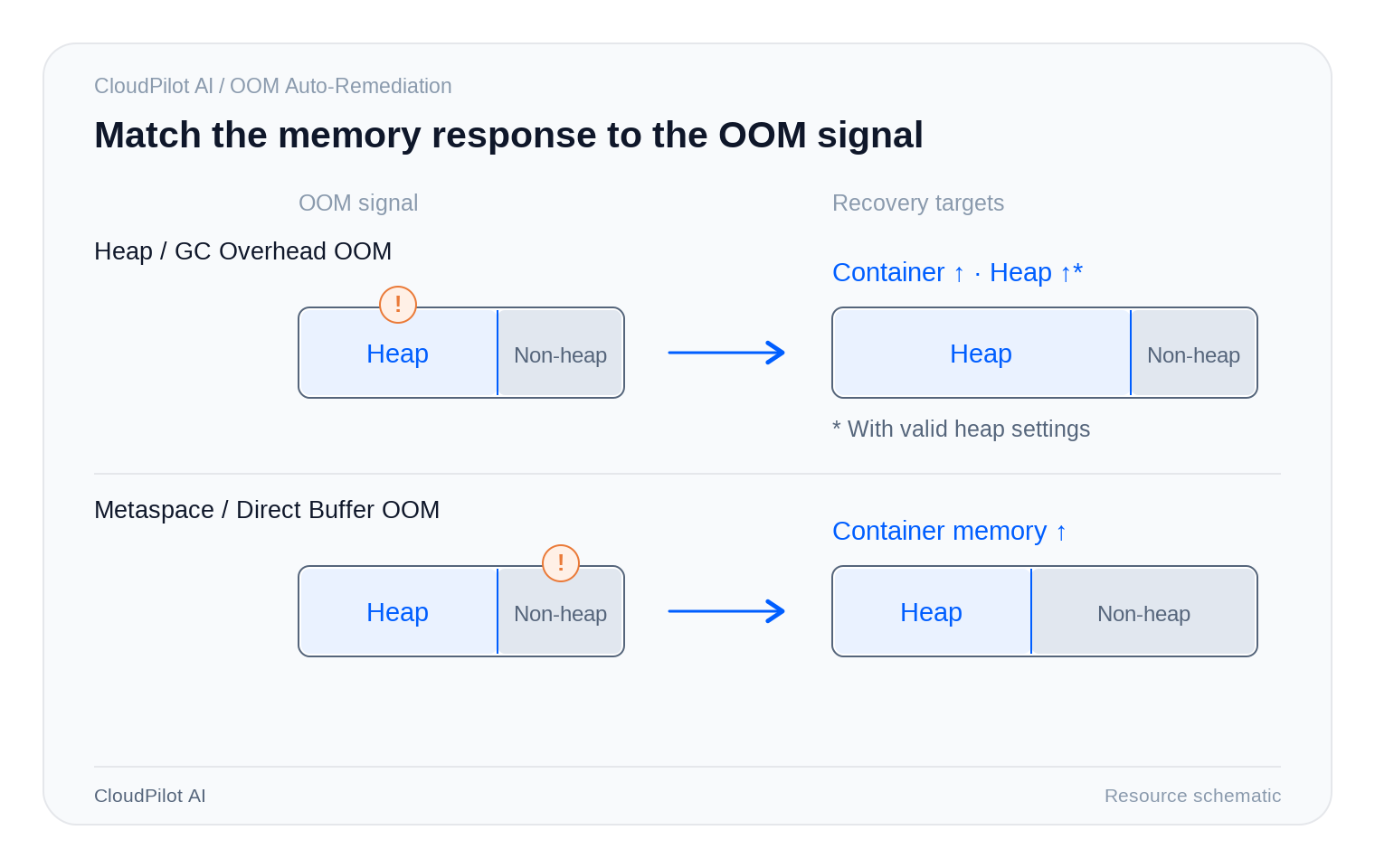
For eligible OOM events, Workload Autoscaler can raise the container memory target. For Heap or GC Overhead OOMs, it can also raise the managed heap when the failed Pod provides valid heap settings. For Metaspace and Direct Buffer OOMs, the response adds container memory headroom. Fixed JVM caps are tuned separately. Recovery targets feed into subsequent recommendations. Repeated confirmed OOMs can trigger emergency Pod recreation even in policy mode Off when workload optimization is enabled. See OOM Auto-Remediation.
HPA Coordination: keep replicas scaling while optimizing memory
Automatic HPA protection requires CloudPilot AI v1.23.0 or later, the matching APC CRD, and controller read access to HPAs and LimitRanges. Once Workload Autoscaler detects a CPU utilization HPA, it protects the CPU settings while HPA scales replicas as traffic grows. Memory remains eligible for optimization when the combined protection from all HPA metrics leaves it unprotected.
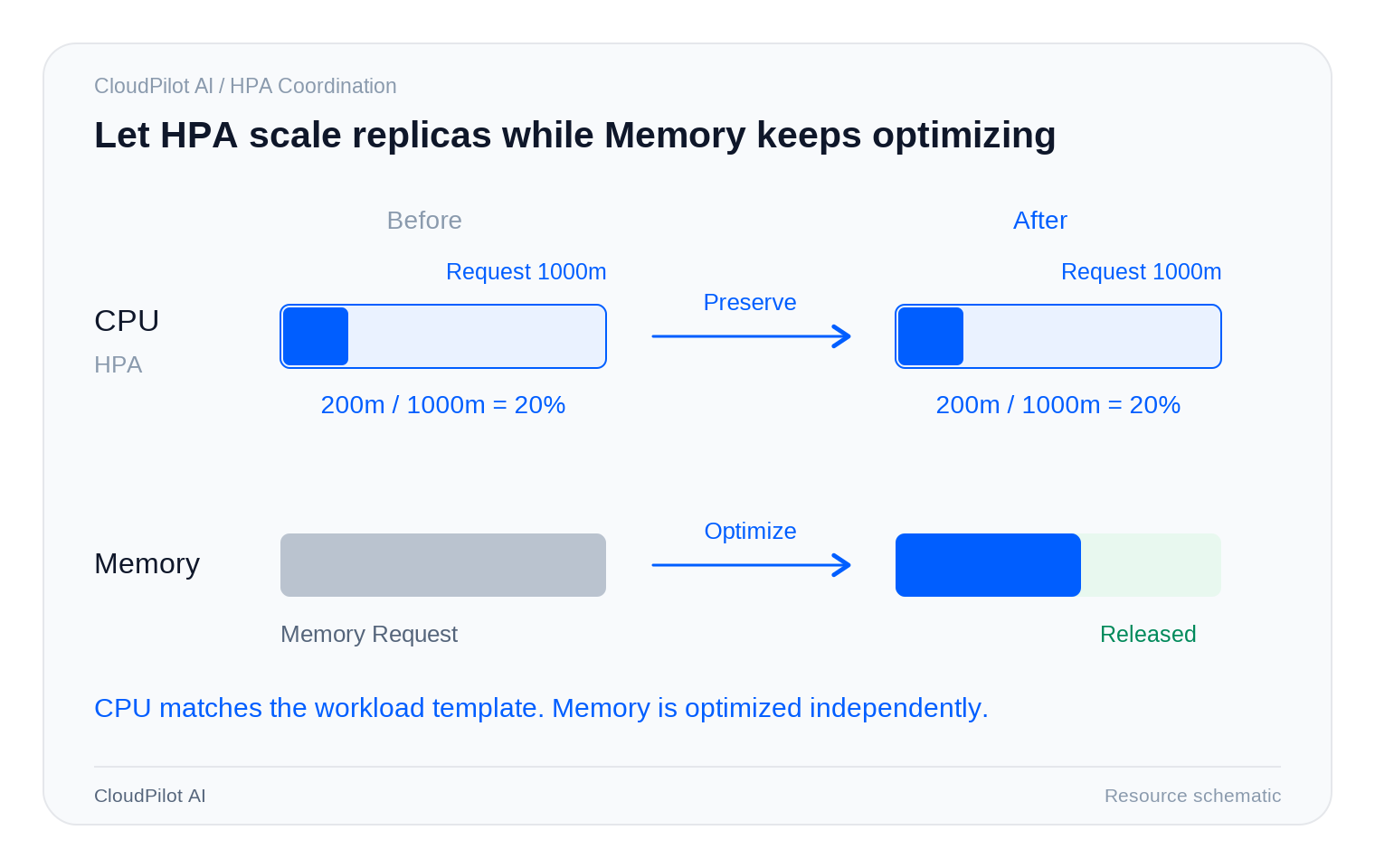
Workload Autoscaler automatically detects HPAs directly targeting Deployments and StatefulSets and protects the resources used by native Utilization metrics. ContainerResource metrics narrow that scope to a container. In this example the CPU Request already matches the workload template. If earlier tuning changed protected CPU settings on an existing Pod, Workload Autoscaler can restore them to the current template values. The Console shows CPU and memory management states separately. See Coexisting with HPA.
PSI Recommendation Protection: account for CPU waiting pressure and retain needed shares
Beyond CPU usage, Pressure Stall Information (PSI) reveals time spent waiting for CPU. Workload Autoscaler brings that waiting pressure into downsizing decisions: when a workload faces contention, it reduces CPU by a smaller amount to retain more CPU shares.
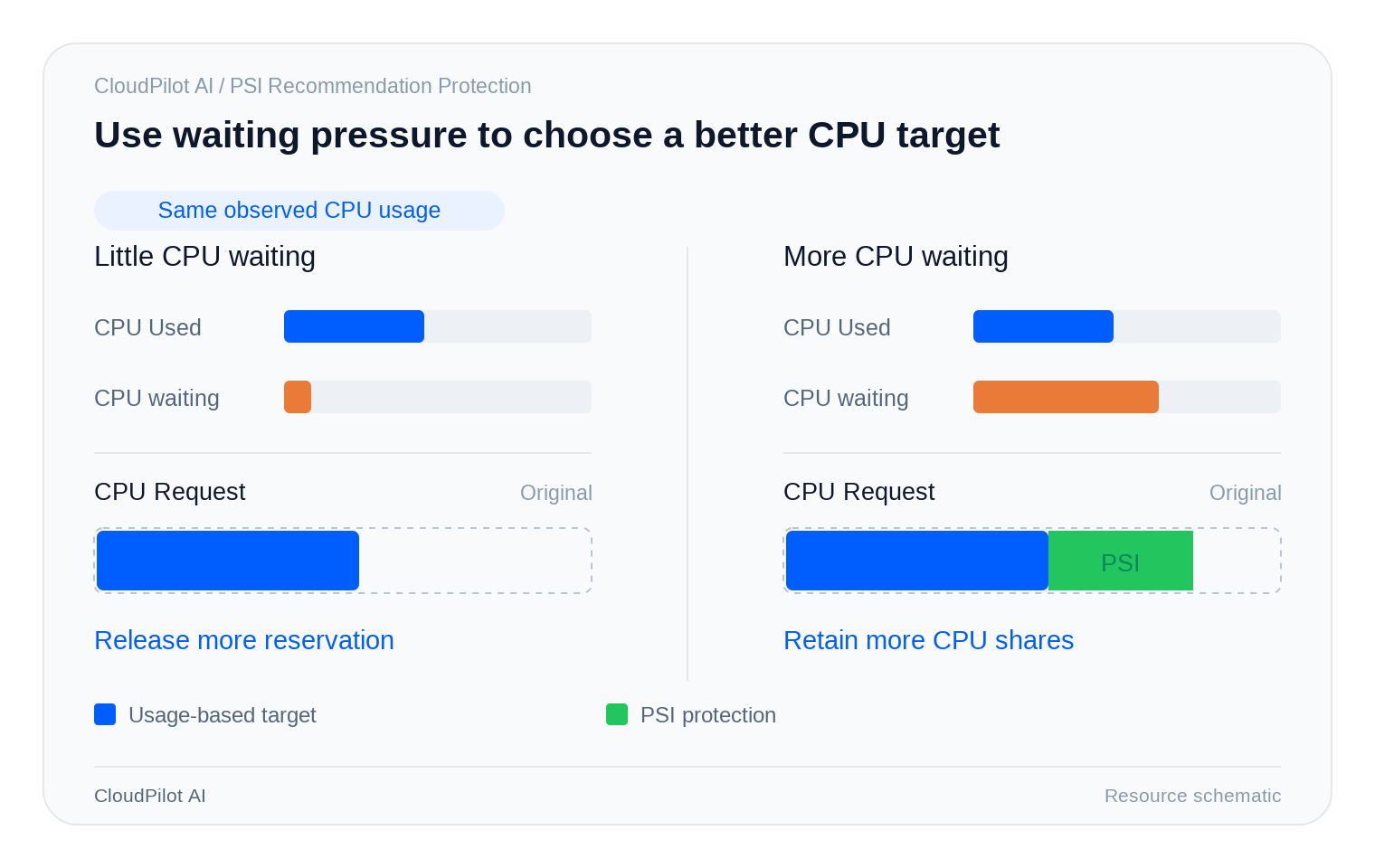
Independent Request and Limit policies also control scheduling reservations and runtime caps separately, reducing steady-state reservations while allowing workloads to burst when a node has spare capacity. See PSI Protection and Limit Policies.
RecommendationPolicy / AutoscalingPolicy: extend one proven strategy to more services
Reuse a proven Java optimization policy by matching a label already present on new services. To use automatic runtime labels, let a broader, lower-priority policy match new workloads first so runtime detection can label them. A higher-priority Java policy can then take over when the Java label appears.
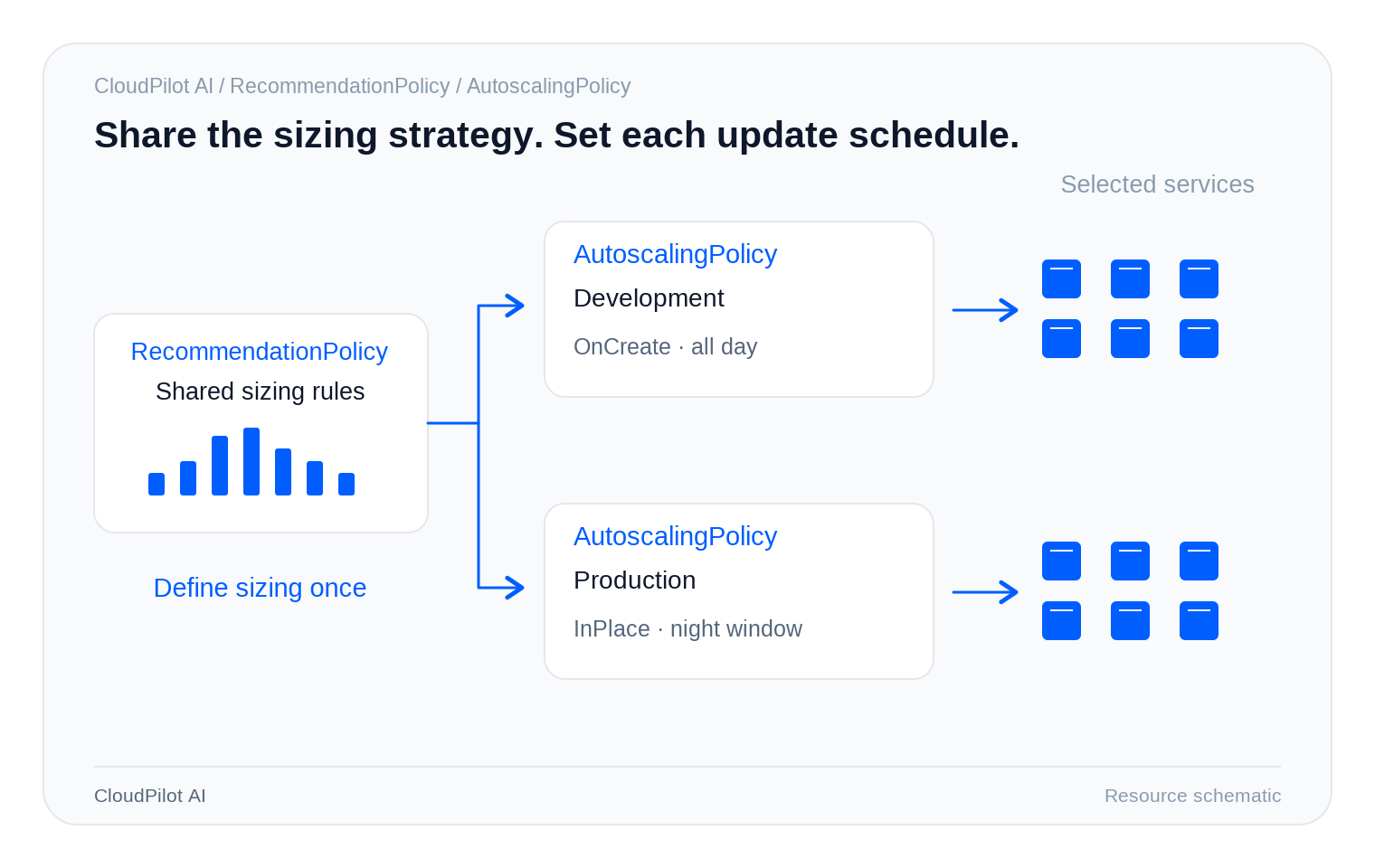
RecommendationPolicy defines how resources are calculated; AutoscalingPolicy defines which workloads receive changes, when, and how. Teams share recommendation policies while setting update windows and modes to match their own schedules, extending their optimization experience across the cluster. See AutoscalingPolicy.
CronJobs can also reuse resource history across runs. Workload Groups aggregate Pods from custom workloads through Pod Selectors and apply recommended resources when new Pods are created.
Audit Log: follow resource changes from recommendation to application
The CloudPilot AI SaaS Console brings actual usage, Requests, Limits, and recommendation history together. Audit Log shows recorded change plans, execution attempts, and observed Pod targets. A Converged event means the controller checked at least one eligible Pod and found every eligible Pod within the configured resource thresholds and heap bounds for the target. Pods still in Startup Boost are outside that check.
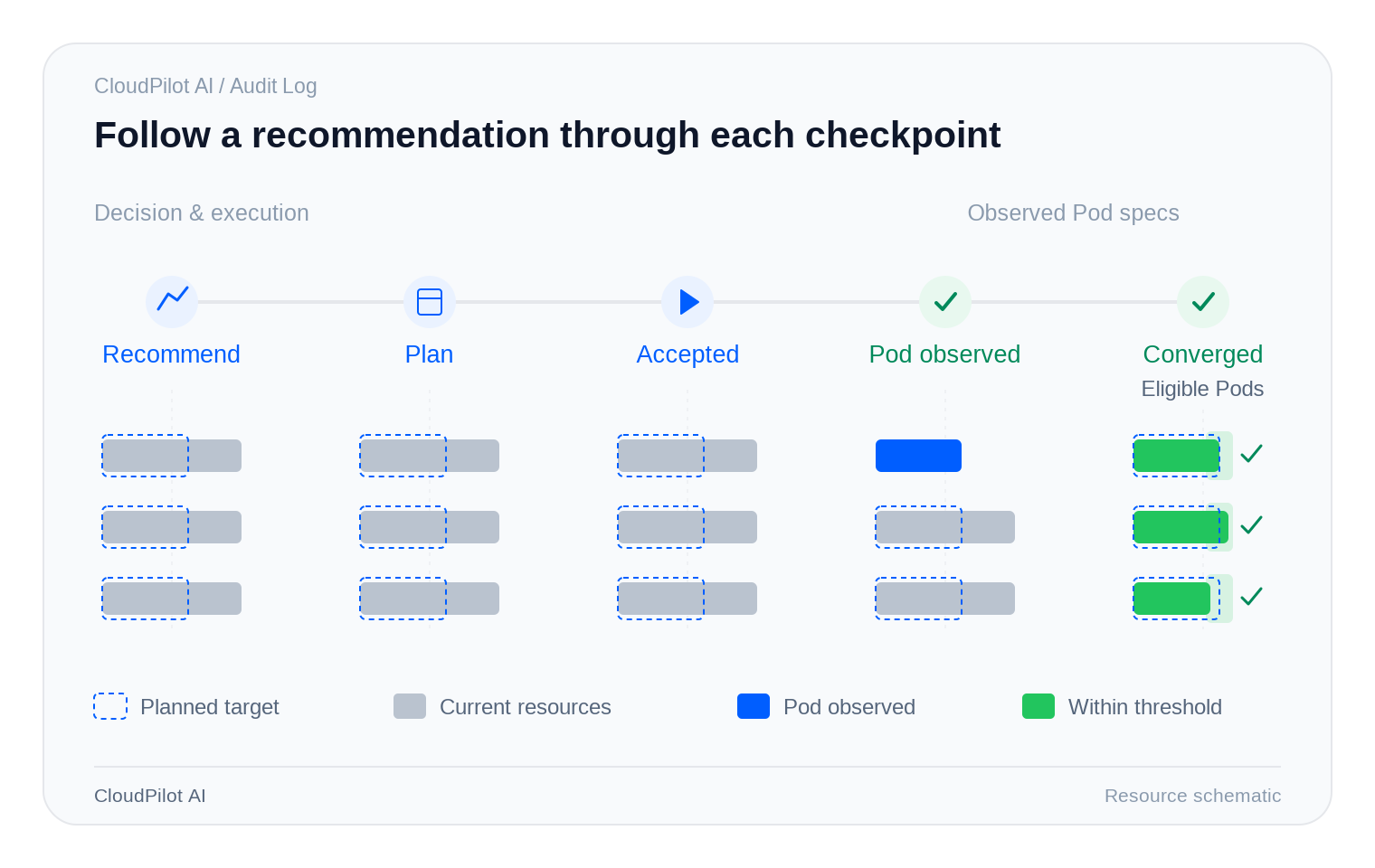
Start with a familiar service group: observe recommendations, enable adjustments, and follow the resource results. Then extend the validated policies to other services. Check the workload’s current resources directly if an event is unavailable. See Audit Log.
Node Autoscaler: turn resource optimization into lower node costs
Workload Autoscaler releases excess Pod scheduling reservations, making room for more compact placement. Node Autoscaler can then consolidate workloads and retire a node. When disruption rules allow eviction, workload controllers create replacement Pods that can be scheduled on the remaining nodes.
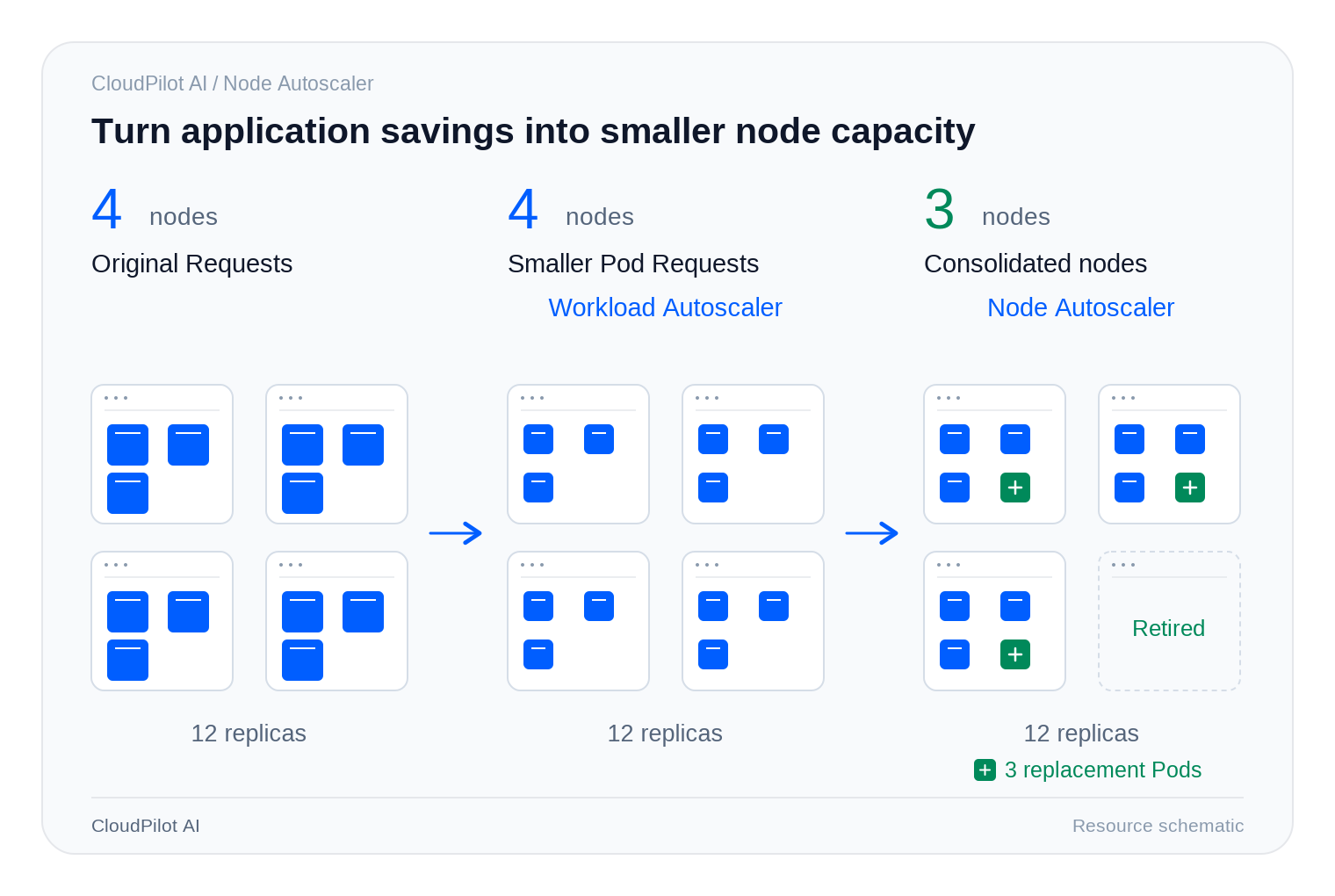
Together, they manage application demand and node supply, reducing compute costs through changes in node count, size, or runtime. Teams can track optimization results over time by looking at application resources and node capacity together.
Explore the Workload Autoscaler configuration guide, or contact CloudPilot AI to see how these scenarios apply to your cluster.